

Step 1. Open Signal Bot and create a bot
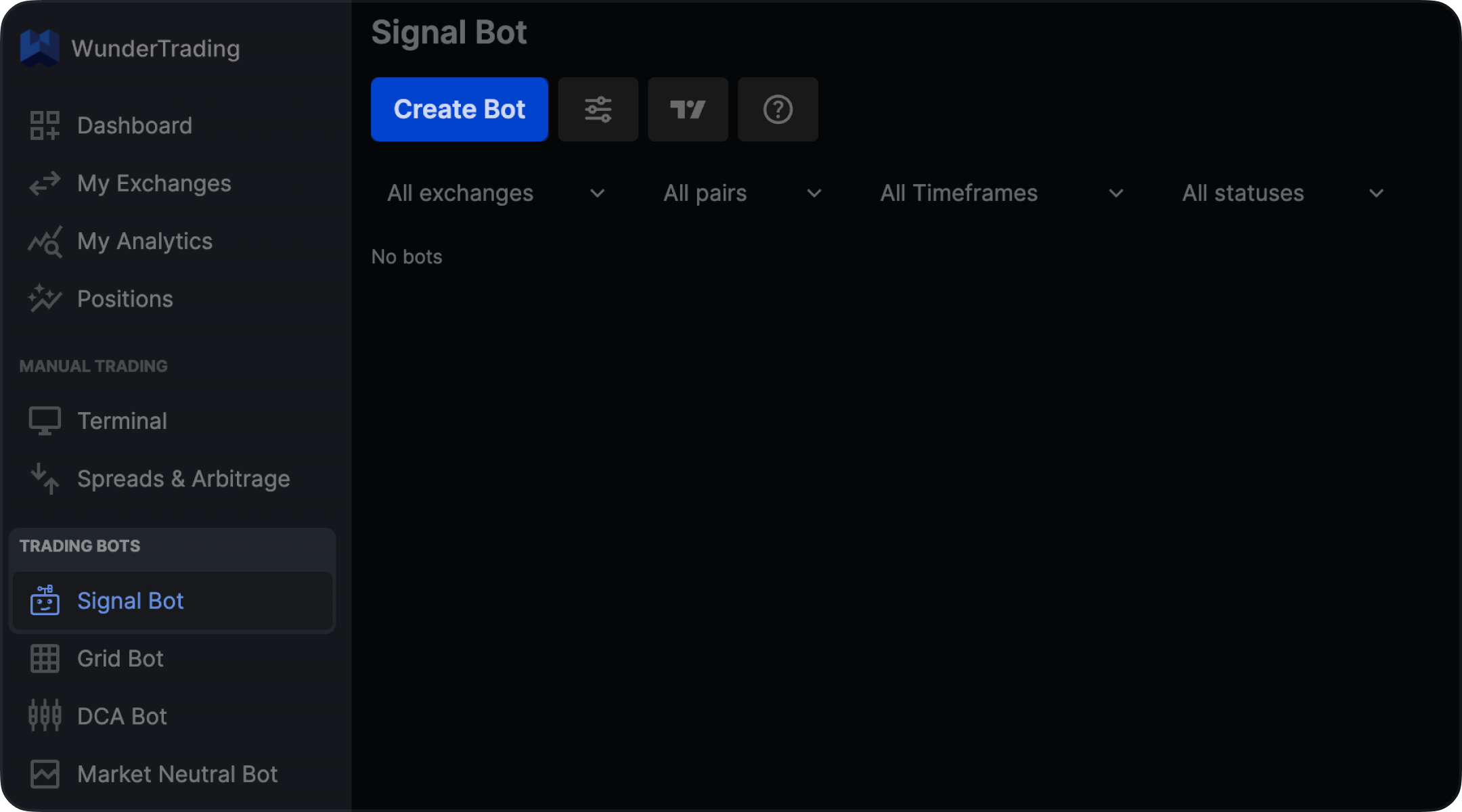
- Open WunderTrading
- Go to Signal Bot under Trading Bots
- Click Create Bot
Step 2. Settings
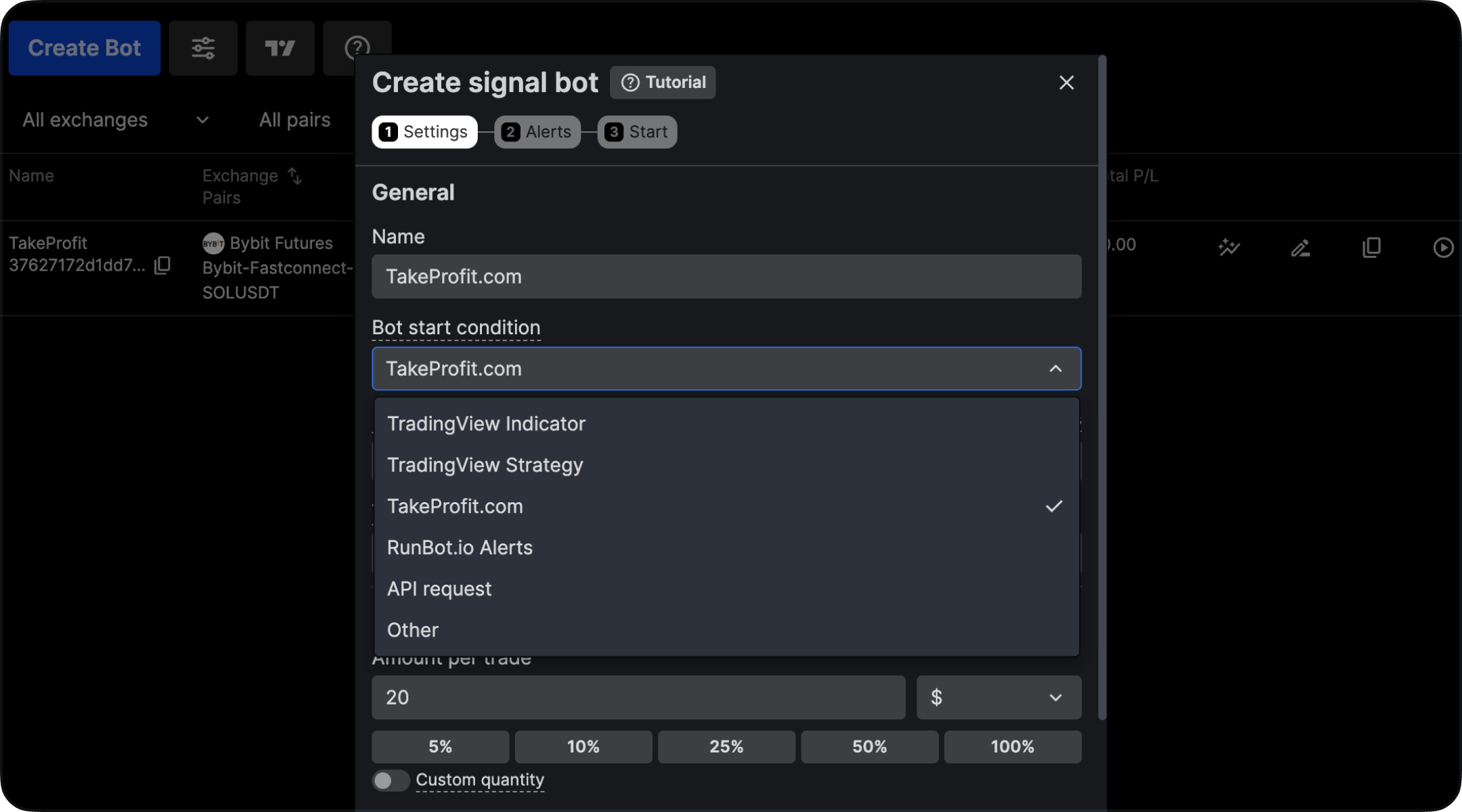
- Exchange accounts — the account the bot trades on
- Pairs — the trading pair
- Timeframe — set it to the timeframe of the TakeProfit chart your alerts come from
- Entries — amount per trade and order type
Step 3. Alerts
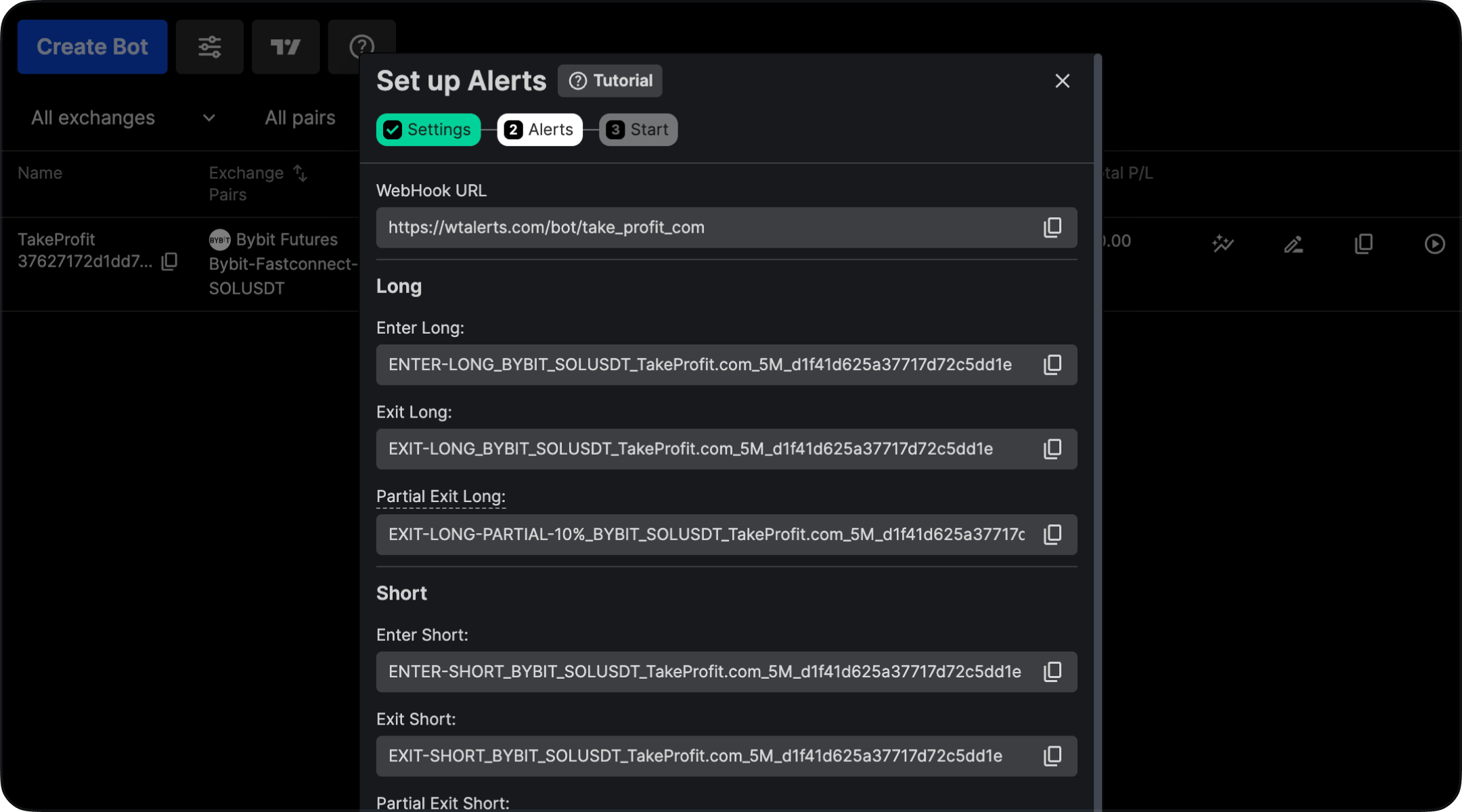
- The WebHook URL —
https://wtalerts.com/bot/take_profit_com - A message for each action: Enter Long, Exit Long, Partial Exit Long, Enter Short, Exit Short, Partial Exit Short, and Exit All
You can reopen this step from the bot’s row at any time — every message goes into a separate TakeProfit alert, so you will come back to it.
Step 4. Start
On the final step the bot is ready to receive signals. Leave Enter Position Now off unless you want to open a position straight away, then click Done.Step 5. Create an Alert in TakeProfit
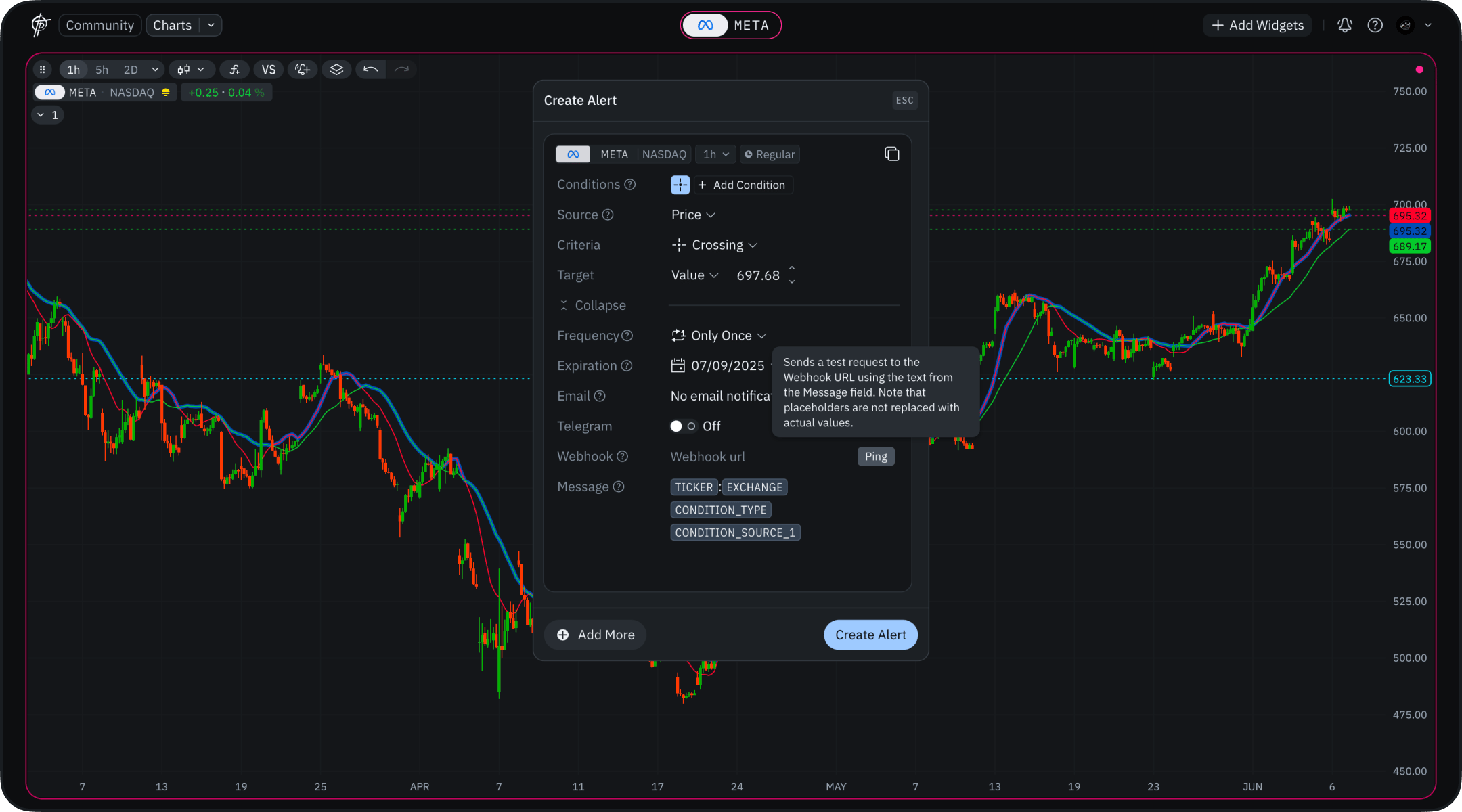
- Open your chart in TakeProfit
- Make sure your indicator or strategy is active
- Click Create Alert and set the condition that should trigger the trade
TICKER, EXCHANGE and CONDITION_TYPE — you will replace these.
Step 6. Set the Webhook and the Message
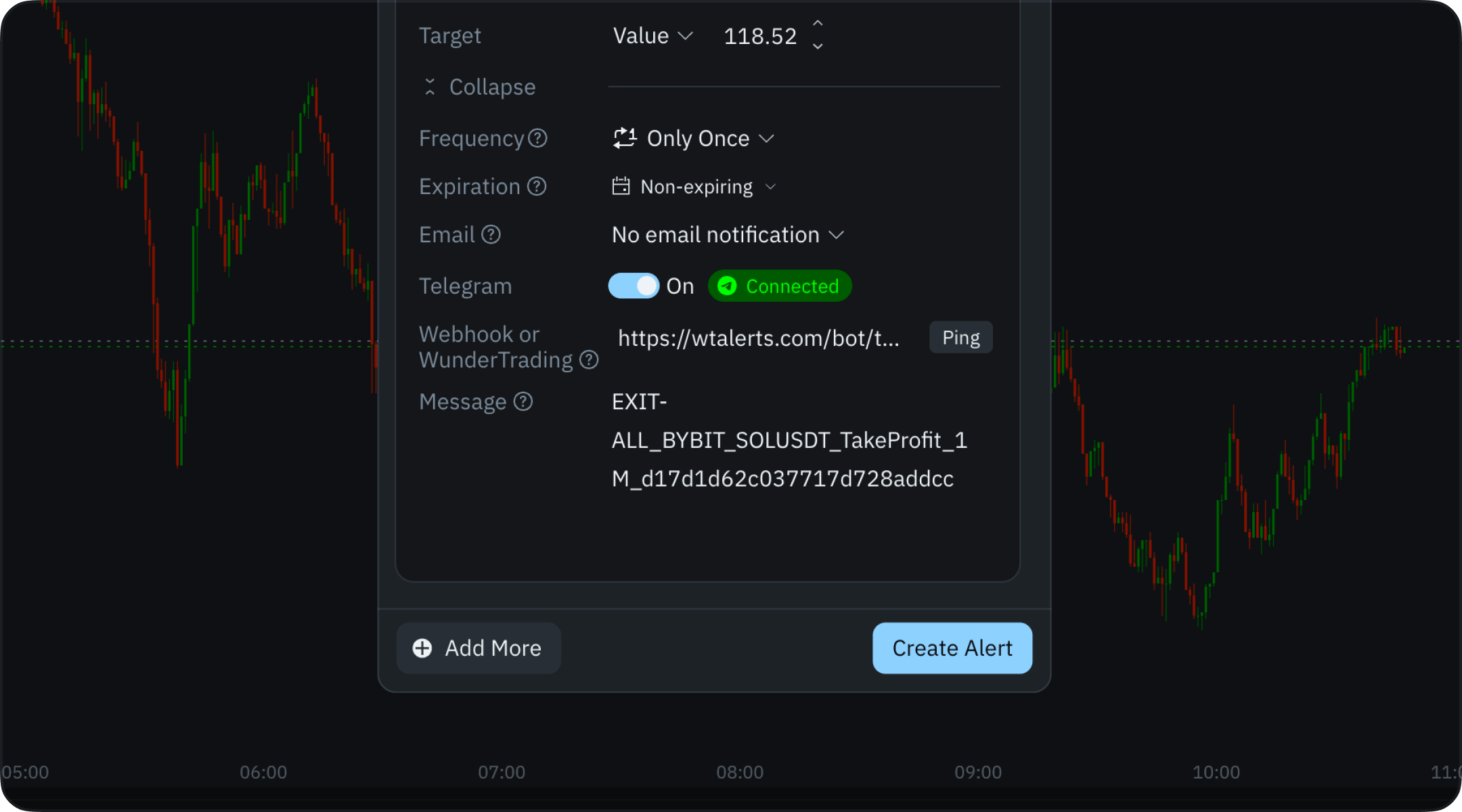
https://wtalerts.com/bot/take_profit_com.
In the Message field, clear the default placeholders and paste one message copied from WunderTrading.
Click Create Alert.
Step 7. Create One Alert per Action
Each action needs its own alert with its own message:- Long Entry → Enter Long message
- Long Exit → Exit Long message
- Short Entry → Enter Short message
- Short Exit → Exit Short message
Step 8. Check That the Signal Arrives
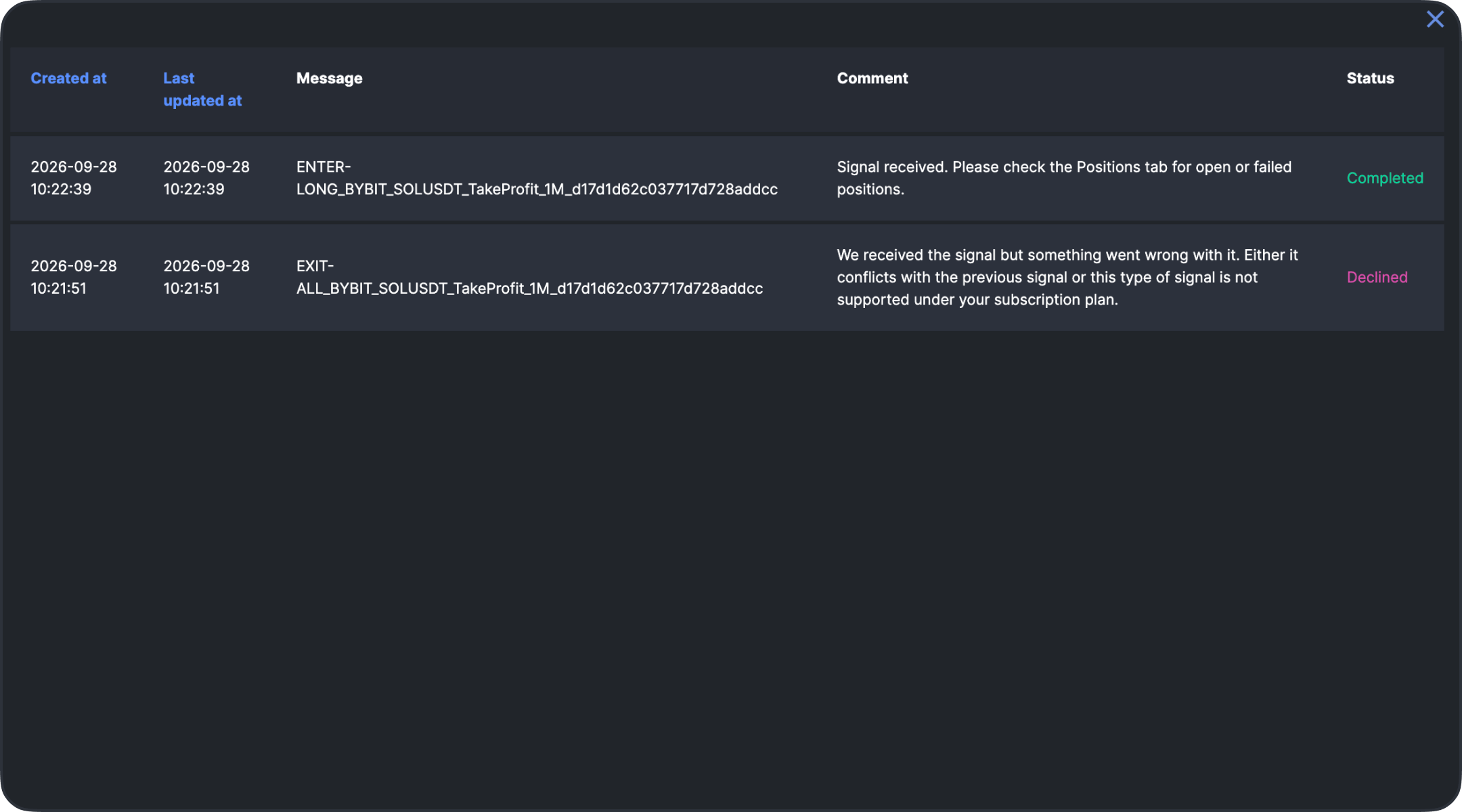
- Completed — the signal was accepted. Check the Positions tab for the resulting position.
- Declined — the signal arrived but was not acted on. WunderTrading gives the reason in Comment; the usual causes are a signal that conflicts with the previous one (an exit with nothing open, or a second entry in the same direction) and a signal type your WunderTrading subscription does not cover.
Important Notes
- Always verify that the Exit message in TakeProfit matches the Close command in WunderTrading
- Incorrect mapping may result in open (orphaned) positions
- Double-check all messages before activating alerts
- Recreate your TakeProfit alerts if you change the bot’s pair, timeframe or name in WunderTrading — the message carries those values and a stale one no longer matches